Features

Everythingin the box.

The full list. Repair orders to marketing, plus the parts that write, send, answer, and remember for you.

A repair order with parts and labor lines
Estimate
The call inbox with booked appointment requests
Calls
The shop dashboard with estimates waiting for approval
Dashboard
The repair order board by status
Repair orders
Works with
  • NexPartAftermarket parts ordering
  • partslink24Genuine OEM parts, opened from the repair order
  • QuickBooks OnlineInvoices and payments sync
  • StripeOnline payments and receipts
  • SquareCard reader for in-person payments
  • Apple PayTap to pay on the invoice link
  • Google PayTap to pay on the invoice link
  • Google ReviewsOne request per completed repair order
01  The tour

Five things you'll use every day.

The core of the product, one screen each. Open any one for a closer look.

02  The full list

Every feature, by area.

All of it is in the one plan. No add-ons, no per-seat pricing, no modules to unlock.

Built-in service advisor

Works inside every repair order12

Repair orders and workflow

8

Customers and payments

7

Parts and back office

4

Marketing

4
03  Shop operations

The unglamorous stuff, done right.

Loaners, hours, and parts ordering are where most shop software gets lazy. These get their own screens.

Loaner vehicles

Track the fleet, check a car out to a customer with a signed agreement, snap their license and insurance, and check it back in. All of it stays attached to the repair order.

2021 Toyota Corolla · Loaner 2Out · Marcus R. · due Thu
AgreementSigned on screen · 12:48 pm
License and insurance2 photos attached
2018 Honda Civic · Loaner 1Available
Time clock

Staff clock in, take lunches and breaks, and clock out from the dashboard. Hours are totaled for you, who's on the clock is visible at a glance, and the pay period rolls up into one report.

Dana K. · AdvisorOn the clock0h 12m
Luis M. · TechLunch0h 40m
Ray T. · TechOn the clock0h 05m
Priya S. · TechOff0h
Pay period so far · 214h 30m
Parts ordering

Launch NexPart from the repair order with the vehicle already loaded, or look up genuine OEM parts on partslink24 by VIN for European brands. Ordered parts land on the repair order as line items.
NexPartAftermarket · live pricing and availability
partslink24OEM · Audi, BMW, Mercedes-Benz, Porsche, VW
InventoryAuto-deducts when pulled · reorder points
QuickBooksInvoices and payments sync both ways
04  OEM parts
partslink24

Genuine parts, straight from the dealer.

partslink24 is the dealer parts platform used by OEM dealerships. It lets you order genuine OEM parts straight from franchise dealers for European and premium brands.

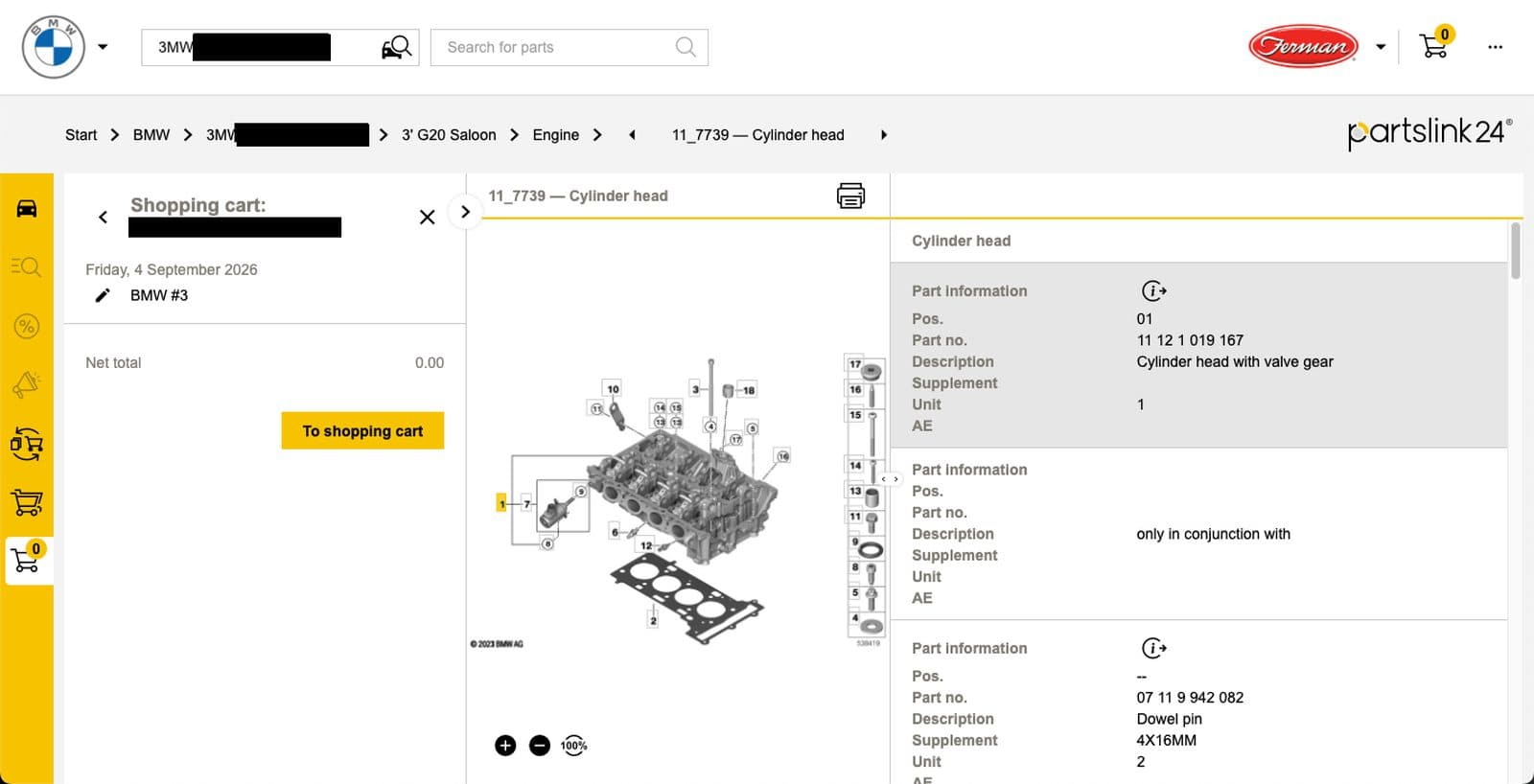
    Factory catalogs, already on the right carThe catalog opens on the vehicle from the repair order and shows the exact exploded diagrams and part numbers for that car, from the manufacturer's own catalog.
    Order from franchise dealersParts come from participating dealers, so they're genuine and they fit. Pricing and availability show before you commit.
    On the repair orderConnect your own partslink24 account and the order option appears on the repair order for supported makes. Ordered parts land as line items.
Brands
BMWMercedes-BenzVolkswagenAudiPorscheVolvoLand RoverJaguarand more

partslink24 account required. partslink24 is a registered trademark of its owner.
partslink24OEM · European and premium brands
partslink24 catalog showing a BMW cylinder head diagram with part numbers
NexPartAftermarket · any make
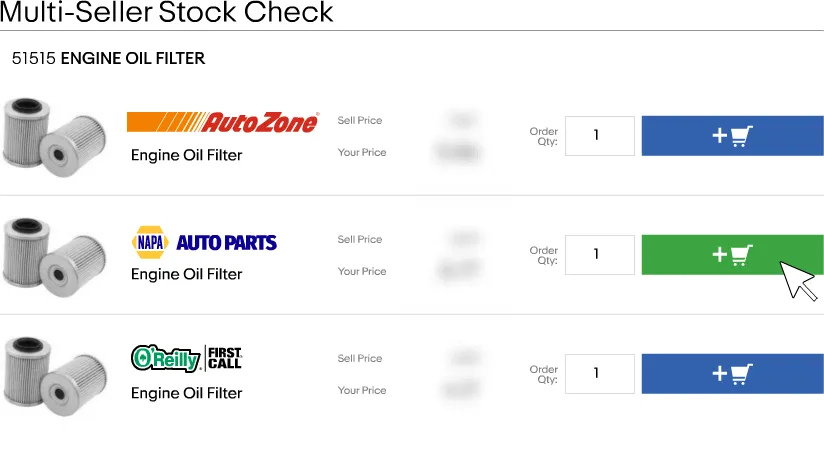
NexPart stock check showing part availability across suppliers
05  Aftermarket parts
NexPart

Order parts from the repair order. One click.

NexPart is one of the leading automotive parts ordering networks. Launch its catalog straight from the repair order with the vehicle already loaded, so nobody re-keys the VIN or the year, make, and model.

    One click from the repair orderOpen NexPart from the repair order. Vehicle details carry over, no re-entering anything.
    Live pricing and stockBrowse your suppliers' catalogs with real prices and availability before you commit.
    Your own accountOrder through your existing NexPart account and suppliers. Ordered parts land on the repair order as line items.

NexPart account required. NexPart is a product of WHI Solutions.

06  Automations

What runs on its own.

Every one of these is on by default. Nothing to configure, nothing to remember.

Tech submits notesWrites customer-friendly findings and adds labor and parts to the estimate.
Inspection completedFlagged items become line items. Findings are appended to the tech notes.
Repair order moves to pending approvalEmails the customer a link to approve or decline each item.
Customer approvesUpdates the repair order status and recalculates totals on approved items.
Repair order completedSends the vehicle-ready email with pickup details, and a Google review request.
Repair order invoicedSends the invoice with a Pay Now button.
Payment receivedSends the receipt. Zero balance moves the repair order to paid.
Parts pulled for a repair orderDeducts inventory with a full audit trail.
Invoice syncedPushes customer, invoice, and payment to QuickBooks.
Repair order completed or invoicedIndexes the vehicle, concern, and actual fix into shop memory.
Appointment bookedChecks history for declined services and flags them on the appointment.
Customer declines a serviceFollows up by email fourteen days later. Re-sends if new items are declined.
Appointment coming upSends a reminder before the scheduled time.
Nobody picks up the phoneAnswers, takes the vehicle and concern, books the appointment, and texts a confirmation.

All of it.
$79 a month.

Unlimited users. No per-seat fees. No contracts. English and Spanish on every screen.

30 days free · Cancel anytime